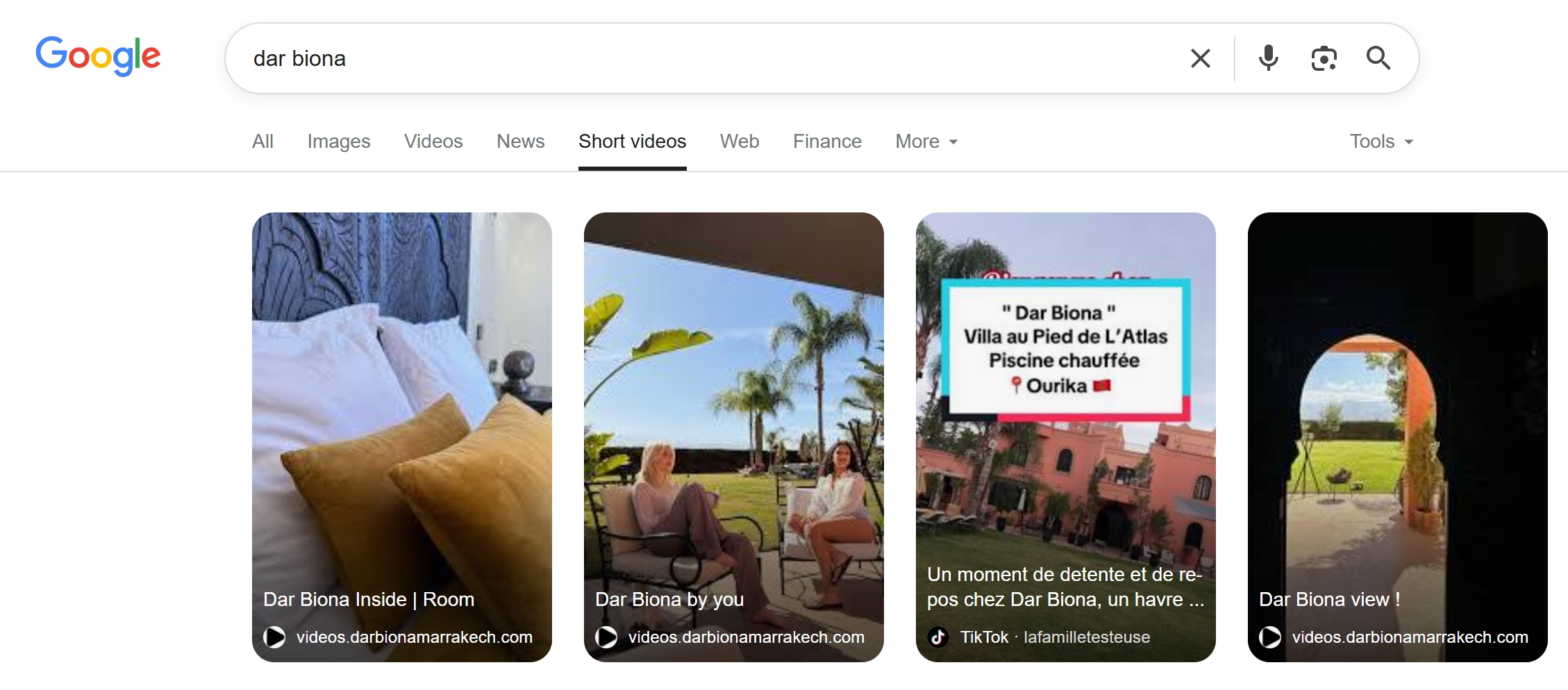
Video SEO: The Complete Guide to Ranking Videos on Your Own Website
Hosting videos on YouTube gives Google the traffic, not you. Learn the complete framework for ranking short videos on your own website — from structured data to Core Web Vitals — and why web.Best handles it automatically.

Why Video SEO on Your Own Website Matters
Most businesses upload videos to YouTube and embed them on their website. The problem? Google attributes the SEO value to YouTube, not your domain. Every view, every backlink, every ranking signal benefits YouTube's domain authority — not yours.
To rank videos on your own website, you need to host them on your domain and implement the right technical SEO. This guide covers everything you need to know.
The 5 Pillars of Video SEO
1. Video Structured Data (Schema.org)
Google requires VideoObject structured data to understand and index your videos. This JSON-LD markup tells search engines the video's name, description, thumbnail, upload date, and duration. Without it, Google treats your video as just another embedded element.
- Use @type: VideoObject in JSON-LD format.
- Include name, description, thumbnailUrl, uploadDate, and duration.
- Add contentUrl pointing to the actual video file on your domain.
- Include embedUrl if the video can be embedded elsewhere.
2. Video Sitemap
A video sitemap tells Google exactly where your videos live and provides metadata that helps with indexing. It's especially important for sites with many videos, as it ensures Google discovers all your video content — not just what it finds through crawling.
3. Thumbnail Optimization
Thumbnails are the first thing users see in search results. An eye-catching, high-resolution thumbnail directly impacts your click-through rate. Use clear, bright images that represent the video content. Avoid generic stock photos.
4. Page Performance & Core Web Vitals
Video-heavy pages can destroy your Core Web Vitals if not optimized properly. Lazy-loading videos, using a CDN, and serving videos in the right format are critical for maintaining fast page speeds — which directly affect your search ranking.
- Lazy-load videos below the fold to improve Largest Contentful Paint (LCP).
- Use a CDN for video delivery to reduce Time to First Byte (TTFB).
- Avoid autoplay with sound to prevent Cumulative Layout Shift (CLS).
- Compress video files without sacrificing quality using modern codecs.
5. On-Page Context
Google doesn't just look at your video — it looks at the page around it. Surrounding your video with relevant text, headings, and internal links helps Google understand what the video is about and match it to search queries.
Self-Hosted vs. YouTube: SEO Comparison
| Factor | YouTube Embed | Self-Hosted (web.Best) |
|---|---|---|
| Domain authority benefit | Goes to YouTube | Goes to your domain |
| Video structured data | Manual setup needed | Auto-generated |
| Core Web Vitals impact | Heavy iframe, slows page | Optimized native player |
| Traffic destination | YouTube.com | Your website |
| Google Short Video carousel | Not eligible | Eligible |
| Branding control | YouTube UI & ads | Full brand control |
How web.Best Handles Video SEO Automatically
web.Best was built specifically for video-first websites. Every technical SEO requirement listed above is handled out of the box:
- VideoObject structured data is auto-generated for every video you upload.
- Videos are hosted on a global CDN with free transcoding for optimal delivery.
- Thumbnails are automatically extracted and optimized for search results.
- Pages are pre-rendered (SSG) for maximum Core Web Vitals performance.
- Video metadata, captions, and descriptions are indexed by Google.
- Your videos live on your own domain — all SEO value stays with you.
Common Video SEO Mistakes to Avoid
- Embedding YouTube videos and expecting to rank your domain — you're building YouTube's SEO, not yours.
- Missing VideoObject structured data — without it, Google can't surface your videos in rich results.
- Using autoplay video that blocks page rendering — this tanks your Core Web Vitals.
- Not including text content around your videos — Google needs context to understand relevance.
- Ignoring mobile optimization — 75% of video is watched on mobile devices.
Start Ranking Your Videos Today
Video SEO doesn't have to be complicated. With web.Best, every video you upload is automatically optimized for search — from structured data to CDN delivery. Stop giving your video SEO to YouTube. Build a video-first website that ranks on your own domain.
Share this article
Help others discover this content